
Case Example: Phoenix HVAC GBP — Video Verification Loop After Earlier Denied Appeals
Outcome
Listing reinstated. Google decides timing.
Case history
Google decides timing — this case is one example, not a guaranteed timeline

Pushpender Sodlan
Google Ads Partner (not GBP access) · GBP Recovery Specialist · Hundreds of cases managed
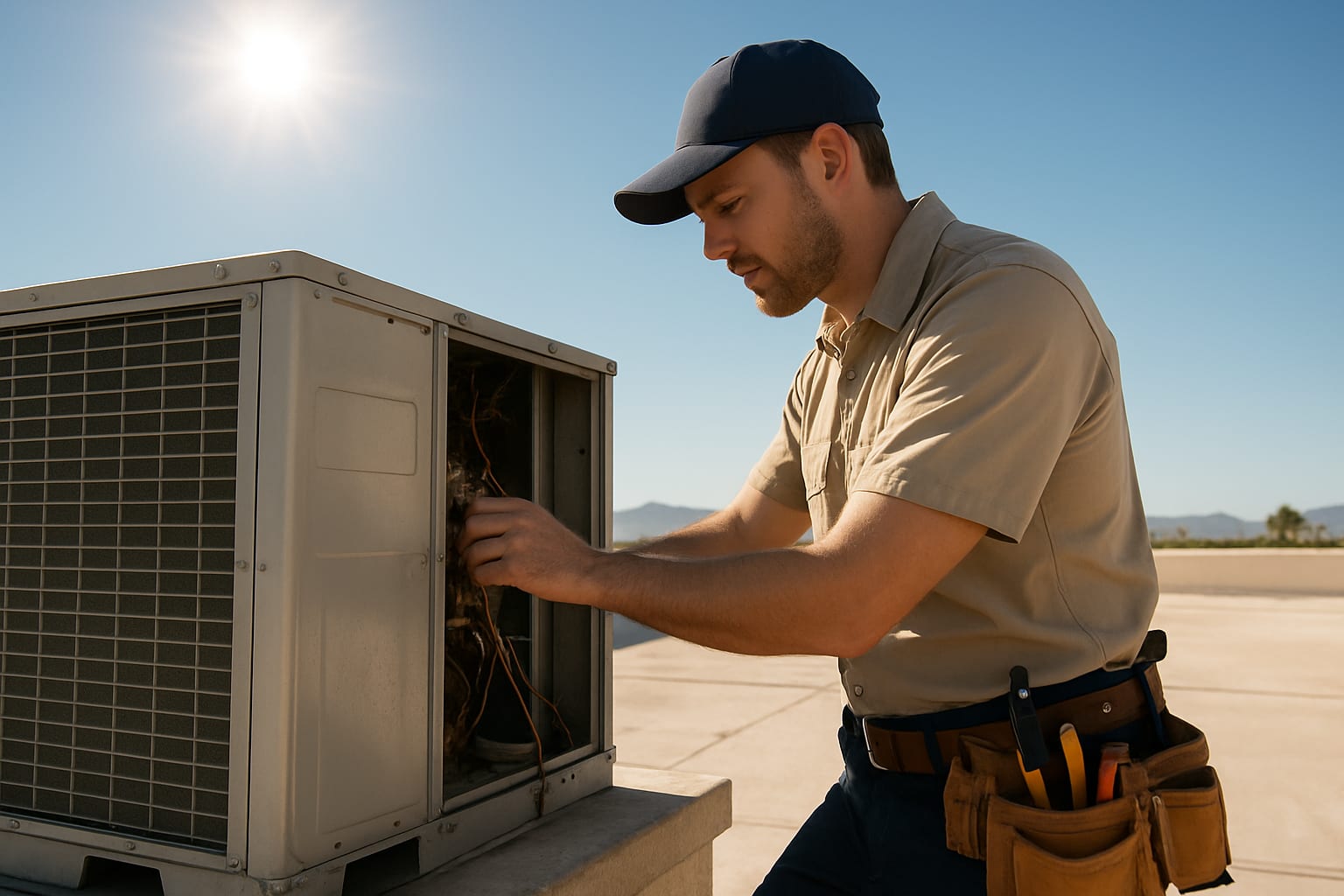
Case examples are anonymized and may combine details from similar cases. Names, numbers and identifying details are changed. They show our process, not a promised result; Google decides every outcome.
Case Summary
A Phoenix HVAC company triggered a hard GBP suspension by editing their service area radius. Three appeals were denied before they contacted GBP Fixers: two self-filed, then an agency resubmission. Our team identified a documentation gap, rebuilt the evidence package, and prepared the owner for video verification. Google passed the video review. Google decides timing.
Key Takeaways
- ✓ Editing your Google Business Profile service area is a common trigger for automated suspension in HVAC and SAB (service area business) categories.
- ✓ A second appeal denial does not mean your case is closed — it means Google needs a different evidence strategy, not the same documents submitted again.
- ✓ Video verification has a specific set of non-obvious requirements. Most businesses fail it not because they are fraudulent, but because they present the wrong things during the call.
- ✓ For a service-area business, hiding the physical address while retaining a city-level service area is the configuration Google's guidelines describe — and it has to match how the business actually works.
- ✓ Every denial makes the next appeal harder because Google's system logs the prior rejections. A professional recovery needs to address the root cause, not repeat the same steps.
It was the middle of June in Phoenix. Peak HVAC season. The phone had been ringing every 15 minutes with calls for emergency AC repairs.
Then it stopped.
Not because business had slowed down — but because the owner’s Google Business Profile had vanished from Google Maps.
The listing that had been a primary source of inbound calls was gone. Not just suppressed. Completely removed from search results. When customers searched “HVAC repair Phoenix” or even the business name directly, nothing appeared in the local pack or on Maps.
This case example shows how the appeal file was rebuilt; Google reinstated the listing.
What the Business Looked Like Before the Suspension
The business had operated in Phoenix for seven years. The owner runs a service area business — no retail shopfront, but a team of six technicians covering Maricopa County. Many new customers came from Google.
The GBP profile was solid. Around 190 reviews accumulated over several years. Business hours, service categories, photos, and posts were all maintained regularly. It was, by all measures, a well-managed, legitimate profile.
The owner had done one thing differently a few weeks before the suspension: he had expanded the service area radius in his GBP settings to include a few additional zip codes he had started servicing in the East Valley.
He made the edit on a Tuesday. By Thursday, the listing was gone.
The Suspension Trigger: Service Area Edits in SAB Profiles
Service area businesses — businesses that travel to customers rather than receiving them at a fixed address — are a category that comes up often in our cases.
There is a reason for this. The SAB format was historically exploited by lead generation farms and fake listing operators, who would set up many fake HVAC, plumbing, locksmith, and contractor listings with fake service areas covering large cities and route the calls to whoever paid them. Google’s automated systems may flag an SAB edit. Google doesn’t publish how that check works.
When the owner expanded his service area radius, the automated system matched that behaviour pattern against its fraud indicators. The listing was flagged and hard-suspended soon after the edit.
Common SAB suspension triggers:
- Editing service area radius (especially expanding it significantly)
- Adding new cities or zip codes to a service area
- Changing a physical address listing to a service area business after the fact
- Showing a physical address while also listing a service area — a violation of GBP guidelines for SABs
- Profile edits in categories flagged as high-fraud (HVAC, locksmith, plumbing, pest control, electrical)
The trigger here was legitimate and innocent. But innocent does not mean simple to fix.
What the Owner Tried First (Three Denied Appeals)
The owner submitted two reinstatement appeals himself before contacting us, and an agency submitted a third. This is extremely common. Google’s appeal form looks straightforward, and the assumption is that if you are legitimate and can prove it, Google will respond reasonably.
Here is what he submitted in each attempt:
First appeal: Business licence, a photo of his van with the business name on the side, and a screenshot of his website.
Result: Denied. Google’s automated response cited “insufficient documentation to verify the business’s eligibility.”
Second appeal: He added a utility bill and an additional photo of his team. He resubmitted through Google’s reinstatement request form.
Result: Denied again, with the same boilerplate response.
At this point, he had been offline for a stretch. He had also paid another agency to “handle it,” which appeared to consist of submitting the same documents in a different order. That attempt also resulted in a denial.
When the owner called, the prior advice had been that the suspension was permanent and that nothing more could be done.
That is often not the end of the road. If Google has rejected your reinstatement appeal, the case is rarely over — but the approach that follows a denial is different from the approach that precedes one.
Our Initial Case Assessment
The first thing we do on any case is a structured diagnosis before touching anything.
We reviewed the three prior denial responses, his current GBP setup, the documents he had submitted, and the specific changes he had made in the weeks before the suspension.
Two problems were at once apparent.
Problem 1: His GBP was still configured incorrectly.
Even if his appeals had been approved, his listing would have been re-suspended shortly after because his profile showed a physical street address alongside a service area designation. Under Google’s current SAB policies, service area businesses must hide their physical address in the public listing if they do not serve customers at that location. His address was visible — a direct policy violation that his appeals had not addressed.
Problem 2: His documentation did not match Google’s actual verification criteria for SABs.
Google’s verification reviewers for SABs are looking for specific things that differ from what they need for a storefront business. The business licence and utility bill he submitted are standard documents, but for an SAB, they are not the primary evidence. What reviewers need for a service area business includes:
- Proof that technicians operate from the business (vehicle registrations, insurance certificates, employee records)
- Evidence of actual service delivery in the area (invoices, work orders, photos from job sites)
- Branded equipment or uniforms visible at work (not just a van photo)
- Business registration at the registered address with clear address match to submission
His package had none of the field-level documentation. It looked like an address verification package for a storefront, not a mobile service business.
What We Did: The Recovery Process Step by Step
Step: Evidence rebuild
We walked him through every document category we needed. Some he had at once. Others required us to pull together:
- Six months of customer invoices with job addresses in the target service area
- Copies of technician vehicle insurance certificates naming the business
- Technician uniforms with the company logo (we requested photos at active job sites, not posed photos in a driveway)
- State contractor licence for HVAC in Arizona (this is a state-level credential that carries significant weight)
- Better Business Bureau registration confirmation
- Supplier account statements from major HVAC parts suppliers (Carrier, Lennox) confirming a registered trade account under the business name
We also corrected the profile configuration. The street address was hidden. The service area was set to Maricopa County rather than the expanded zip code list. Categories were reviewed and the primary category confirmed as “HVAC contractor.” Secondary categories were refined to “Air conditioning contractor” and “Heating contractor.”
Step: Appeal submission
We prepared a structured appeal letter — not a form fill, but a written document — that addressed the specific denial reasons and presented the evidence package in the sequence Google’s reviewers are trained to process.
The appeal explicitly acknowledged the service area edit, explained the business context, and pre-emptively addressed the SAB address configuration that had been corrected.
We submitted through the proper channel and marked it for potential video verification follow-up.
Step: Video verification request received
On a case with three prior denials, Google responded with a video verification request rather than a straight approval. This is standard at this stage. It is not a bad sign — it means your appeal was not at once rejected, and a live reviewer is involved.
Video verification requests come with a scheduling link. Google chooses the verification format. Most business owners, when they receive this, either panic or approach it unprepared. The most common outcome is failure. Our guide to GBP verification failures covers what goes wrong in these calls and what changes before a successful reattempt.
Step: Video verification prep session
We ran a full prep session with the owner before the scheduled call. This included:
What the reviewer needs to see — and in what order:
- The business location or primary vehicle at the start of the call (confirmation of physical presence)
- Branded signage, uniforms, or equipment — something that ties the visual location to the business name on the profile
- Documentation ready to show on screen: business licence, state contractor licence, insurance certificate
- A technician or employee present if possible (demonstrates you are a real operating team)
- Response preparation for the three most common reviewer questions:
- “Can you describe what your business does and where you operate?”
- “How long have you been at this address/operating in this area?”
- “Can you confirm your business registration details?”
We also coached on what not to do: do not show the address that was previously visible on the suspended listing, do not mention the suspension or prior appeals during the call, and do not read from notes — it looks unnatural and reviewers flag it.
Step: Video verification call
The owner completed the call from his business premises with a service van visible in the background, wearing company uniform, with a technician standing off-camera in view.
He had the state contractor licence and insurance certificate on a tablet, ready to share screen. The call lasted nineteen minutes.
Step: Listing reinstated
The GBP listing was reinstated with review history intact. The business name, service area, phone number, and categories were confirmed clean.
After the listing returned, inbound calls started again. We do not publish a call count.
The Root Cause: Why This Happens to HVAC Businesses Specifically
HVAC companies are common in our suspension caseload. Here is why.
The HVAC category has historically been one of the highest-fraud categories on Google Maps. Fake HVAC companies — often doorknocking or direct-mail lead gen operations with no real service capability — would create fake GBP listings to capture emergency calls, take payment, and disappear or subcontract to uninsured crews. Google responded by treating the HVAC category as high-scrutiny.
This means legitimate HVAC businesses operate under heightened scrutiny. Any of the following will trigger automated review:
- Service area expansion
- Category changes
- New phone number
- Address changes (even small ones — suite numbers, unit numbers)
- Unusual review velocity (too many reviews in a short span)
- Profile edits close in time to any of the above
The practical implication: do not edit your HVAC GBP unless you are prepared to potentially defend it with a reinstatement appeal. Every change carries risk.
If you must make changes, make one at a time, leave time between edits, and keep full documentation ready to submit if a suspension follows.
What Made the Difference
Looking at the three denied appeals and the file Google later accepted, the critical differences were:
-
Addressing the actual policy violation first. The profile configuration error (visible address on an SAB) would have caused re-suspension even if the earlier appeals had been approved. You cannot just appeal — you have to fix the underlying issue.
-
Field-level documentation for an SAB. The documents that prove a plumber or HVAC technician is legitimate are different from the documents that prove a restaurant or dental practice is legitimate. Most appeal guides give generic advice that is calibrated for storefronts.
-
Video verification preparation. The call is the final gate. Without preparation, first attempts often run into problems. Preparation makes the evidence clearer. Google decides the outcome.
-
Written appeal narrative. A structured letter that tells the story, addresses prior denial reasons, and presents evidence in a logical sequence is a clearer file than a form submission with attached documents.
Lessons for HVAC Business Owners
If you run an HVAC business and your GBP is currently live, here are the things worth knowing before any suspension ever happens:
Configure your SAB correctly. If you are a service area business, your street address should be hidden in your GBP settings. You should be listed under a service area (county, city, or radius), not a physical address. This is not just a best practice — it is a Google policy requirement.
Document your operation continuously. Keep a running folder with vehicle insurance certificates, state contractor licences, supplier account statements, and recent invoices. If you are ever suspended, that evidence is what a reviewer can check. Google decides timing.
Do not panic-edit. When you see your listing suspended, the instinct is to at once try to edit or update it. Do not do this. Making additional changes to a suspended listing can complicate the appeal or add new flags to the case.
One denial is not the end of the file. Two denials are not the end of the file. We have prepared appeals after four and five prior denials. The work is understanding what each denial shows and changing the file accordingly. Google decides.
Get professional help after the first denial. Every denial makes the next appeal harder. The moment your first appeal fails, you should consult with a GBP specialist before submitting again.
Timeline Summary
| Step | Action |
|---|---|
| — | Owner calls us. Case assessment begins. |
| — | Evidence rebuild. Profile correction. |
| — | Structured appeal submitted. |
| — | Video verification request received from Google. |
| — | Prep session with owner. |
| — | Video verification call completed. |
| — | Listing reinstated. All reviews intact. |
This case was handled by the GBP Fixers recovery team. Client details have been anonymised. The recovery process described reflects the workflow in this file for SAB suspension cases with prior denials.
Case Classification
Problem type: Video Verification — SAB Hard Suspension with Prior Denial Loop
Suspension classification: Hard Suspension — Service Area Business
Timing: Google decides timing — this case is one example, not a guaranteed timeline.
One case example. Google decides timing; not a guaranteed timeline.
Related Intelligence
This case reflects patterns documented in two GBP Fixers intelligence reports:
- GBP Verification Failure Patterns 2026 — why video verifications fail for SABs, documentation mismatches, and the reverification loop pattern
- GBP Suspension Patterns 2026 — how service area edits trigger hard suspensions and what successful appeals have in common
We do not publish outcome rates.
Related Cases
Similar cases handled by GBP Fixers:
- Nashville HVAC Contractor: SAB Suspended After Failed Video Reverification — Nashville, TN — a 6-year-old listing suspended after a routine service area update triggered a reverification the business wasn’t prepared for; reinstated
- Garage Door Company: Video Verification Failure — Denver, CO
- Plumber: Three Reinstatement Denials — Houston, TX
- Electrician: Hard Suspension Recovery — Las Vegas, NV
Browse related suspension patterns and recovery observations — including how video verification failures fit into broader service-area suspension trends — in the GBP Fixers Intelligence Hub.
Facing a similar situation? GBP Fixers prepares appeals for suspended and suppressed Google Business Profiles for businesses across the USA and UK. We’ve managed hundreds of cases since 2024, including repeat denials, video verification holds, and ownership disputes. If your reinstatement path includes a video call, our GBP verification service prepares you for exactly what reviewers look for so you don’t fail at the final hurdle. Request your free case assessment. We’ll review your case and reply as soon as possible. If you’ve already been denied, our reinstatement service prepares a corrected submission for previously rejected appeals.
Frequently Asked Questions
Why did my HVAC company GBP get suspended after I updated the service area? +
What happens if my reinstatement appeal is denied twice? +
What do I need to show during a Google Business Profile video verification call? +
How long does HVAC GBP reinstatement take after a second denial? +
Can I create a new Google Business Profile instead of appealing my suspended one? +
More Recovery Case Examples
Chiropractor Duplicate Listing Removal — Austin, TX
HVAC · Nashville, TNNashville HVAC Contractor's GBP Suspended After a Single Failed Video Verification — How a 6-Year-Old Listing Was Restored
Auto Repair · Detroit, MIAuto Repair Shop GBP Ranking Drop Recovery — Detroit, MI
Pushpender Sodlan
Google Ads Partner (not GBP access) · GBP Recovery Specialist · Founder, GBP Fixers
Pushpender has personally led the management of many suspended Google Business Profile cases for businesses across the USA, UK, and Canada. As a certified Google Ads Partner (not GBP access), he works with business owners to prepare guideline-aligned appeals. Google decides whether a listing returns. The workflows documented in this case example reflect his team's process.
LinkedIn · About.me · Connectively · About the author · All case examples